


What Is an AI Agent and How Can You Automate Your Workflow with One?


In today’s fast-paced business environment, efficiency is king. As workloads grow more complex, many organizations turn to AI agents to streamline processes and automate repetitive tasks. But what exactly is an AI agent, and how can it revolutionize your workflow? This article unpacks the concept and explores how you can integrate AI agents into your daily operations to boost productivity, reduce errors, and free up valuable time.
Want to supercharge your workflow and let AI handle the busywork? Keep reading to discover how AI agents can become your smartest business ally.
Table of Contents
1. What Exactly Is an AI Agent?
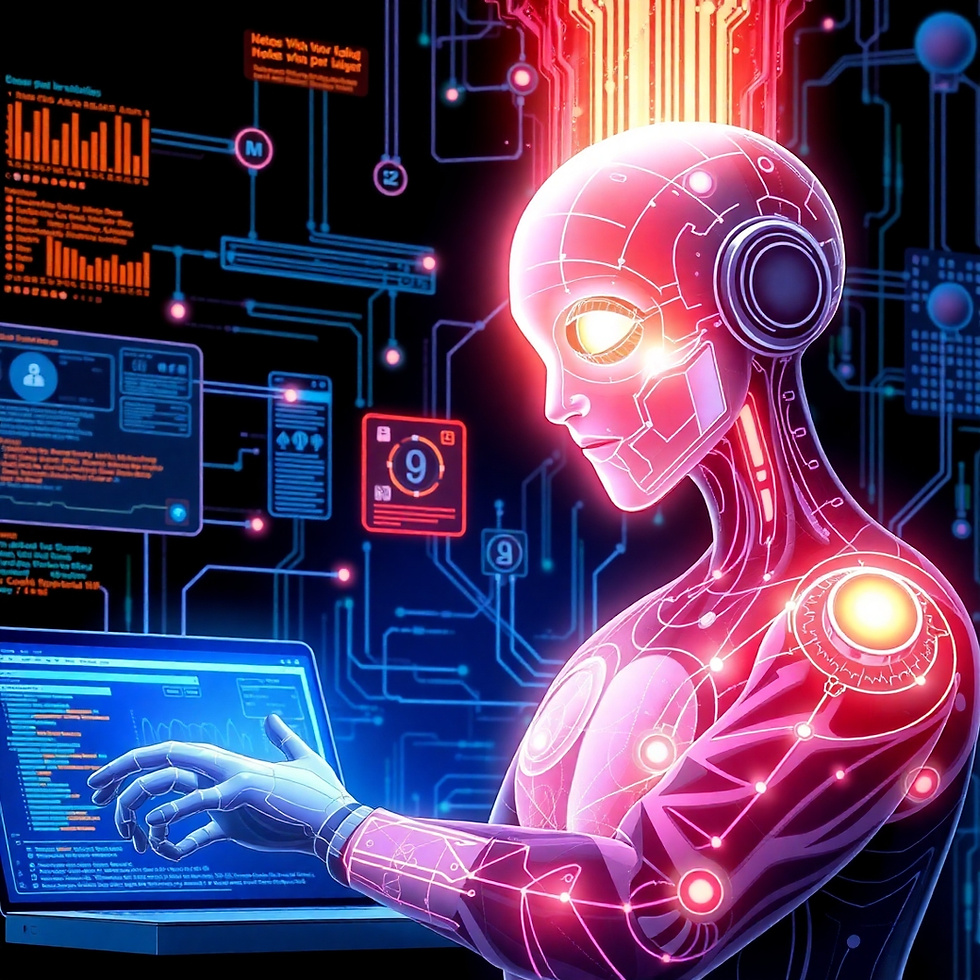
An AI agent is a software entity designed to perform tasks autonomously on behalf of a user or system. Unlike simple automation scripts, AI agents can learn, adapt, and make decisions based on data and context. They utilize machine learning, natural language processing, and other AI technologies to understand and execute complex workflows.
Key characteristics include:
Autonomy: Operates with minimal human intervention
Adaptability: Learns from data to improve over time
Interaction: Can communicate with users and other systems
Decision-making: Uses AI models to make context-based choices
2. How AI Agents Transform Workflow Automation

Workflow automation with AI agents means moving beyond simple task automation to intelligent task management. AI agents handle not just repetitive jobs but also those requiring decision-making or contextual understanding. This transformation results in:
Faster processing of complex tasks
Reduction in human errors
Enhanced scalability of operations
Personalized task execution based on user preferences
For example, an AI agent can prioritize emails, schedule meetings based on multiple calendars, or generate reports by analyzing datasets — all without constant human input.
3. Key Features to Look for in an AI Agent

When selecting an AI agent for workflow automation, consider these critical features:
Feature | Why It Matters |
Natural Language Processing (NLP) | Enables smooth communication via chat or voice |
Integration Flexibility | Works seamlessly with existing tools and apps |
Machine Learning Ability | Continuously improves performance over time |
Security and Compliance | Protects sensitive business data |
User-Friendly Interface | Simplifies setup and daily interaction |
Choosing the right AI agent ensures your automation is both effective and scalable.
4. Practical Steps to Automate Your Workflow Using AI Agents
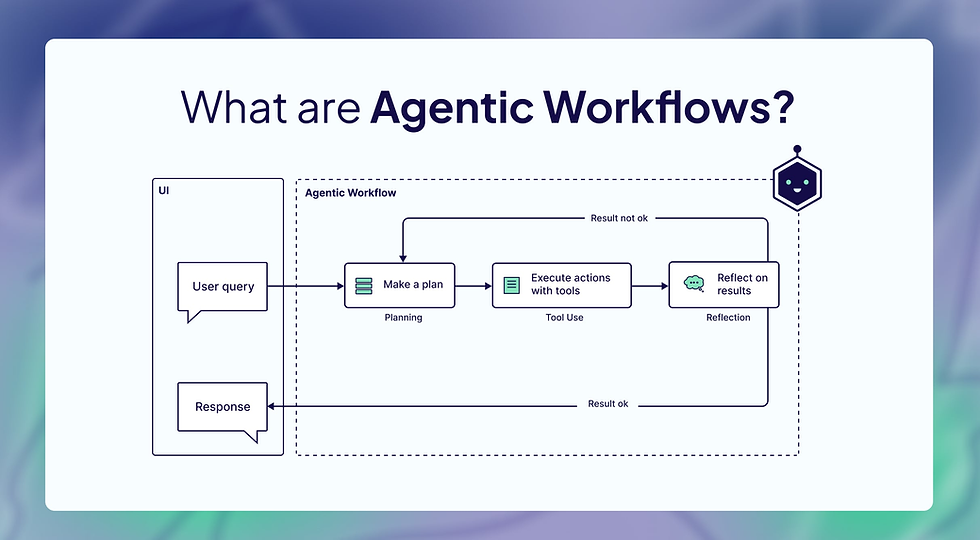
To get started with AI-driven workflow automation, follow these steps:
Identify repetitive or time-consuming tasks: Map your daily processes to spot opportunities.
Choose an AI agent platform: Select a tool that fits your needs and integrates well with your systems.
Design your automation workflows: Define how the AI agent will handle tasks, including triggers and outputs.
Train the AI agent: Use historical data or simulated scenarios to teach the agent decision rules.
Test thoroughly: Run pilot tests to catch errors and refine performance.
Deploy and monitor: Launch the AI agent in production and continuously track its impact and accuracy.
Using tables or flowcharts during the design phase helps clarify the automation path and ensures smooth implementation.
5. Challenges and Best Practices in Implementing AI Agents

While AI agents bring immense benefits, implementation challenges do exist:
Data quality and privacy concerns
Resistance to change from employees
Integration complexity with legacy systems
Maintaining AI agent accuracy over time
Best practices to overcome these challenges:
Start small with pilot projects before scaling
Educate and involve staff throughout the process
Regularly update and retrain AI models
Monitor metrics such as task success rates and user satisfaction
Conclusion
AI agents represent a powerful frontier in workflow automation. By understanding what AI agents are and how they operate, businesses can harness these intelligent tools to streamline operations and unlock new levels of productivity. Whether you're a small business or a large enterprise, integrating AI agents into your workflow can transform the way you work—making your processes smarter, faster, and more adaptable.
Take the first step today, and let AI agents automate your workflow for success!


Comments